
UEC Product Guide
Invinsense UEC product guide, organized by operator outcome from first sign-in through endpoint risk management.
Welcome to the official product guide for Unified Endpoint Control (UEC), the endpoint application-control and endpoint-risk workspace in the Invinsense XDR suite. This guide is for everyone who touches the product: endpoint administrators rolling out their first policy, SOC analysts triaging blocked executions, detection engineers tuning YARA and Sigma content, and platform operators running multi-tenant production deployments.
Latest published release: v7.6.0, released 2026-10-22 (ANY.RUN sandbox integration, Threat Lens vulnerability enrichment, expanded Linux endpoint protection and telemetry, device-group hierarchy and dynamic membership, and per-OS agent configuration; see the v7.6.0 release notes). Release notes are generated directly from the UEC GitLab release API.
Screenshots: captured from development build v7.6.0 after a clean pod redeploy on 2026-10-22. Pages in this guide describe the current development console; published release notes lag behind that build.
Folder Layout
Section titled “Folder Layout”The guide is filed by the job you are doing. A folder path is the page’s URL path:
app-control/policies.md is served at /docs/app-control/policies/.
| Folder | What’s inside | Audience |
|---|---|---|
get-started/ |
What UEC is, how the pieces fit together, first sign-in, the 50-step tour | Everyone |
app-control/ |
Base and supplemental policies, discovery scans, file identities, software catalog | Application-control administrators |
endpoint-management/ |
Device inventory, groups, agent deployment and enrolment, endpoint tools | Endpoint and platform administrators |
monitoring/ |
Events, alerts, Threat Detection, Behavior Analytics, Sandbox, audit trail | SOC analysts and detection engineers |
response/ |
Containment, domain blocking, JIT access, forensics, live response | Responders and approvers |
security-controls/ |
Defender baselines, host firewall, macOS security, CIS compliance, Windows features, certificates | Security and compliance engineers |
risk-management/ |
AMTD posture, vulnerabilities, misconfigurations, identity exposure, AI usage, exfiltration | Vulnerability and exposure teams |
reporting/ |
Report templates, builder, schedules, history, saved dashboards | Analysts and managers |
administration/ |
Settings, identity, integrations, retention, modules, directory groups, platform health | Administrators and operators |
reference/ |
Search grammar, roles and permissions, API conventions, glossary, OKF mapping, screenshot catalogue | Everyone |
release-notes/ |
What shipped, when, and what it changed | Everyone |
resources/ |
Datasheet-style summaries and evaluation material | Evaluation and procurement |
| Screenshot catalogue | Every canonical light/dark page capture plus architecture diagrams | Linked from any page |
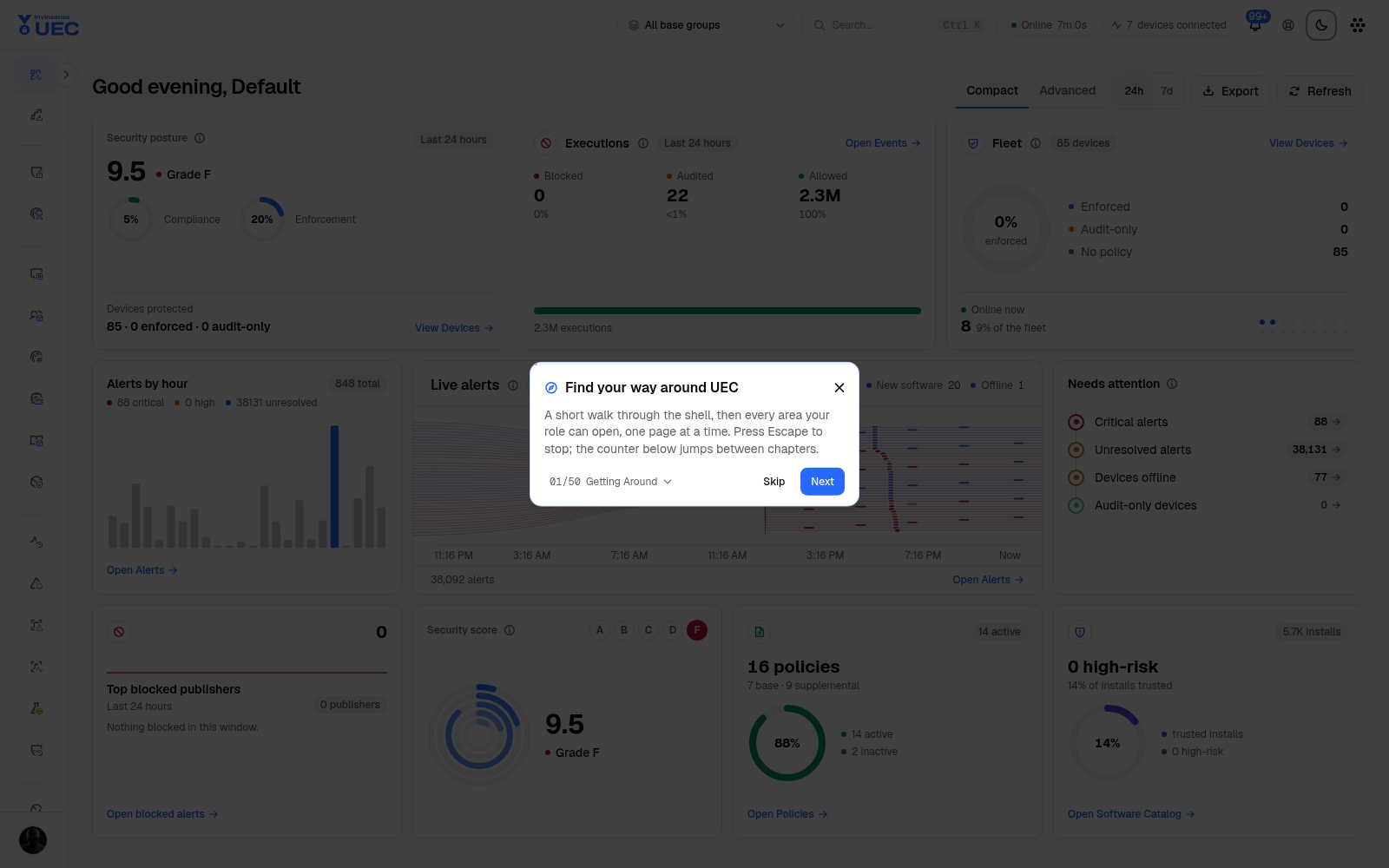
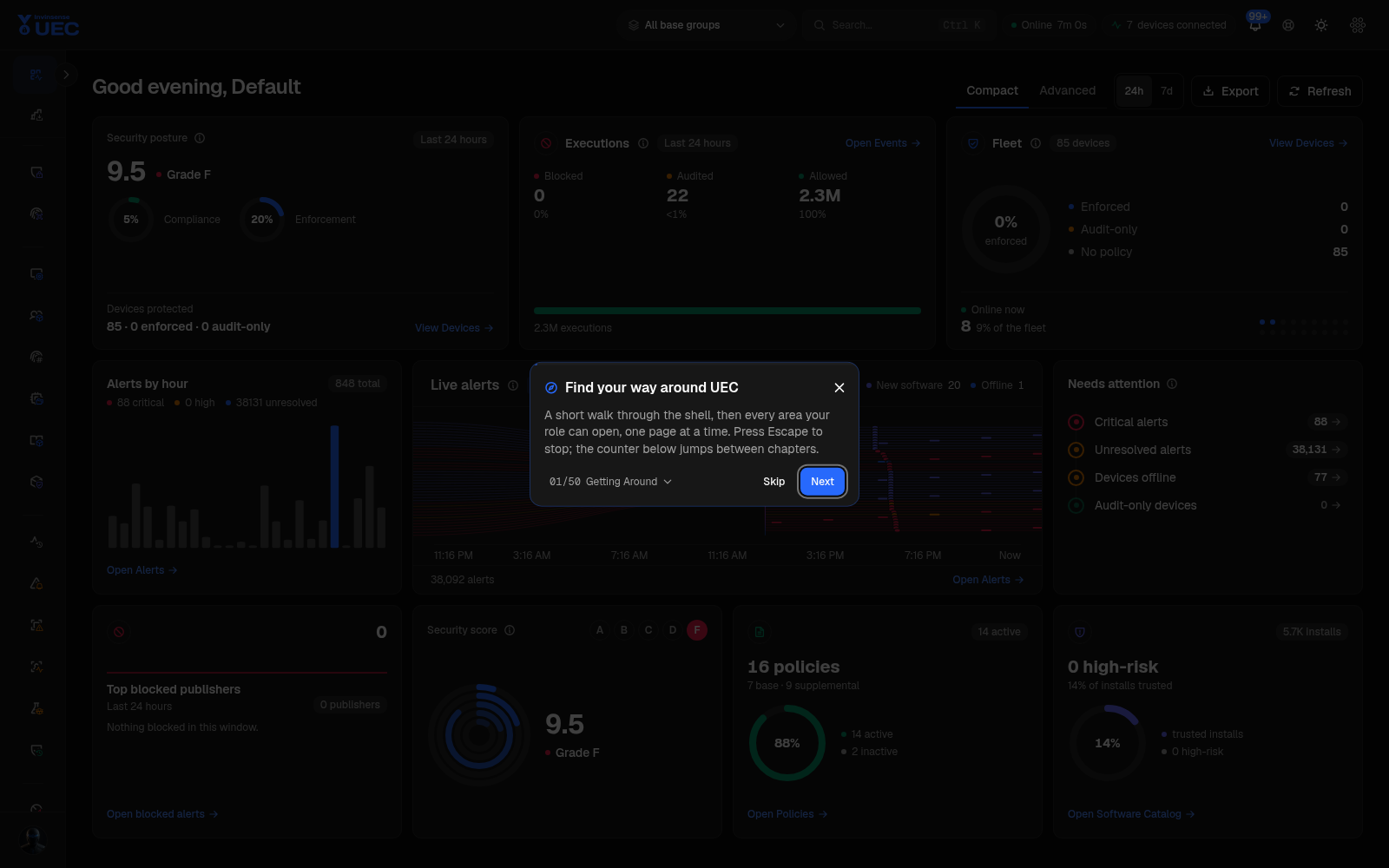
Every console page in this guide has both light and dark screenshots. The screenshot catalogue in reference/screenshot-catalogue.md is the complete index; page-level docs link the screenshots that matter to the task being explained.
What Is Unified Endpoint Control?
Section titled “What Is Unified Endpoint Control?”UEC gives one team one control plane for what may run on endpoints, what actually ran, and what to do when the two disagree. It combines Windows Defender Application Control (WDAC) policy management, macOS Gatekeeper controls, Linux process monitoring, software inventory, endpoint telemetry, detection content, response actions, CIS benchmark assessment, and exposure data from Invinsense AMTD.
The product is deliberately built around a safe rollout:
- See first. Deploy agents, collect execution and inventory telemetry, and review the software catalog and file identities.
- Author intent. Build a base trust envelope, then additive supplemental policies for rings or business applications.
- Soak in audit. Deploy to groups, watch blocked, audited and allowed executions, and tune before enforcement.
- Enforce. Promote selected rings, keep device-level exceptions time-boxed, and monitor convergence.
- Detect and respond. Correlate endpoint events, run Sigma and YARA packs, investigate alerts, and isolate, block, elevate, or query an endpoint without changing tools.
Twenty-Five Reasons Teams Choose UEC
Section titled “Twenty-Five Reasons Teams Choose UEC”| # | Capability | Why it matters |
|---|---|---|
| 1 | Cross-platform endpoint control | Windows, macOS and Linux agents report into one inventory, policy, event and response workspace. |
| 2 | WDAC base and supplemental model | A base policy owns the platform trust envelope; supplemental policies only add trust and are late-bound to the base a device actually resolves. |
| 3 | Artifact-based delivery | UEC compiles server-side artifacts and agents download target-specific binaries. Policy XML is not assembled in a browser. |
| 4 | Audit-to-enforce rollout | Every base version produces an audit and enforce artifact, so a ring can soak before it is promoted. |
| 5 | Group-scoped policy resolution | Exactly one base group resolves a device; supplemental groups add rings and application trust. Other groups cannot accidentally receive policy. |
| 6 | Time-boxed device overrides | Exceptional audit, enforce or disabled states require expiry and leave durable audit history. |
| 7 | Discovery Scans | Turn files observed on real endpoints into signer, publisher, path and hash rule candidates instead of guessing. |
| 8 | Software Catalog | Publisher, application, signature posture, install counts and device coverage support trust decisions and vulnerability context. |
| 9 | File Identities | Search hashes, signers and publishers seen across the fleet and send them into allow or deny rules. |
| 10 | Durable event pipeline | Agents buffer locally, ship compressed batches, and only delete after server acknowledgement. ClickHouse serves high-volume analytics. |
| 11 | Operator search grammar | List pages share KQL-inspired operators such as hostname:, os:, publisher ==, and version >=. |
| 12 | Real-time alerts | SignalR updates the notification bell, live alert feed, list, tiles and timeline while the tenant generates new findings. |
| 13 | Sigma and YARA detection packs | Assign content to rings, choose third-party YARA sources per tenant, and see coverage, findings, IOCs and quarantine state. |
| 14 | Behavior Analytics | First-party user and identity behavior baselines separate learning, anomaly, risk and suppression states. |
| 15 | Sandbox detonation | Submit a file or URL and read the verdict, process graph, network activity and extracted indicators. |
| 16 | Response with undo | Isolate hosts, block domains or USB storage, and track every action and rollback in an action log. |
| 17 | Just-in-Time elevation | Approve a time-bounded request from a blocked execution; access expires on its own. |
| 18 | Forensics and Live Response | Ask live endpoints osquery-style questions or open a vetted interactive session and retain the transcript. |
| 19 | Compliance workflows | Tailor CIS benchmarks, preview impact, run scans, investigate missing reports, and expire accepted exceptions. |
| 20 | Versioned platform controls | Defender baselines and host-firewall rule sets support staged rollout, drift, audit mode and halt conditions. |
| 21 | Exposure context from AMTD | Read protected devices, incidents, vulnerabilities, misconfigurations, identity exposure, AI usage and exfiltration risk beside UEC telemetry. |
| 22 | Immutable audit trail | Administrative actions, field-level before/after values, failures and actors are retained for review. |
| 23 | Granular identity | Roles, SSO, conditional access, API tokens and per-user device-group scoping separate who can act from what they can see. |
| 24 | Multi-tenant operations | Tenant-aware URLs, integrations, modules, retention and branding keep customer or business-unit boundaries explicit. |
| 25 | Operator-grade shell | A 50-step guided tour, command search, persistent filters, dark and light themes, help text and real-time connection state are built in. |
Where to Start
Section titled “Where to Start”| If you are… | Start here |
|---|---|
| New to UEC | What is UEC? |
| Installing or signing in | Getting started |
| Explaining the architecture | Architecture overview |
| Learning the console | Homepage and Guided tour |
| Rolling out application control | Policy lifecycle |
| Deploying agents | Agent deployment |
| Working alerts | Alert management |
| Containing a device | Active response |
| Hardening endpoints | Security controls |
| Operating the tenant | Settings |
| Looking for a screenshot | Screenshot catalogue |
Product Boundaries
Section titled “Product Boundaries”UEC is the endpoint control and endpoint-risk workspace. It does not replace the Invinsense Security Data Lake, but it cooperates with it:
- UEC owns endpoint agents, endpoint policy resolution, endpoint execution telemetry, endpoint response, endpoint compliance and the AMTD exposure views.
- Security Data Lake owns broad log ingestion, lakehouse search, correlation rules, cases and the wider SOC workflow.
- Shared identity, module switching, branding and the Invinsense product menu provide one suite experience without collapsing each product’s domain model.
Where a UEC page forwards events or alerts to another system, the handoff is described in monitoring/events.md and administration/settings.md.
Browser Rendering
Section titled “Browser Rendering”Run npm install and npm run docs:dev, then open http://127.0.0.1:4321/uec/. For a deterministic static deployment, run npm run docs:build and serve dist/ at https://documentations.invinsense.dev/uec/. See reference/documentation-site.md.
Open Knowledge Format
Section titled “Open Knowledge Format”This repository is an Open Knowledge Format v0.2 bundle. Start at index.md for progressive disclosure, read reference/open-knowledge-format.md for the exact mapping, and review log.md for bundle history. Every non-reserved Markdown page is an OKF concept with YAML frontmatter, provenance, lifecycle, trust, and verification metadata.
Documentation Conventions
Section titled “Documentation Conventions”- UI names are literal. When this guide says Settings → Integrations → ANY.RUN, that is the path in the product.
- Light first, dark beside it. Side-by-side screenshots use the same route and viewport so a reader can compare theme rendering without guessing.
- Safe actions only. The guide distinguishes read, filter, audit, enforce, contain and destructive actions. Where an action has an undo, expiry or approval, that guardrail is stated.
- Honest coverage. Where a feature is module-gated, OS-only, alias-only or not yet scoped by row-level RBAC, the page says so.
- OKF-first. Every product page is a concept with a non-empty
type, title, description, tags, provenance sources, generation actor, verification event, and lifecycle status. - Screenshots are evidence. Console captures in this guide were taken from development build v7.6.0 on 2026-10-22 at 1600×1000. Canonical routes use one browser session, the console’s real light/dark switch, and a 15-second post-navigation load gap in one browser tab; redirect-only aliases and query-string variants of the same page are not captured twice. Quantities are examples and change with tenant data.
Repository Maintenance
Section titled “Repository Maintenance”- Product Markdown lives in the audience folders above.
- Shared screenshots live under
images/light/pages/,images/dark/pages/andimages/diagrams/; docs use relative links so the repository works as plain Markdown. - Do not put tenant secrets, tokens, real customer identifiers or passwords in screenshots or examples.
- When a console route changes, update the page doc and the screenshot catalogue; keep both themes captured.