
Settings
Settings is the unified administration console.
Settings is the unified administration console. Its top tabs are General, Identity &
Access, Integrations, Policy and System; the left rail selects a section. Deep links
use ?tab=<topTab>§ion=<section>.
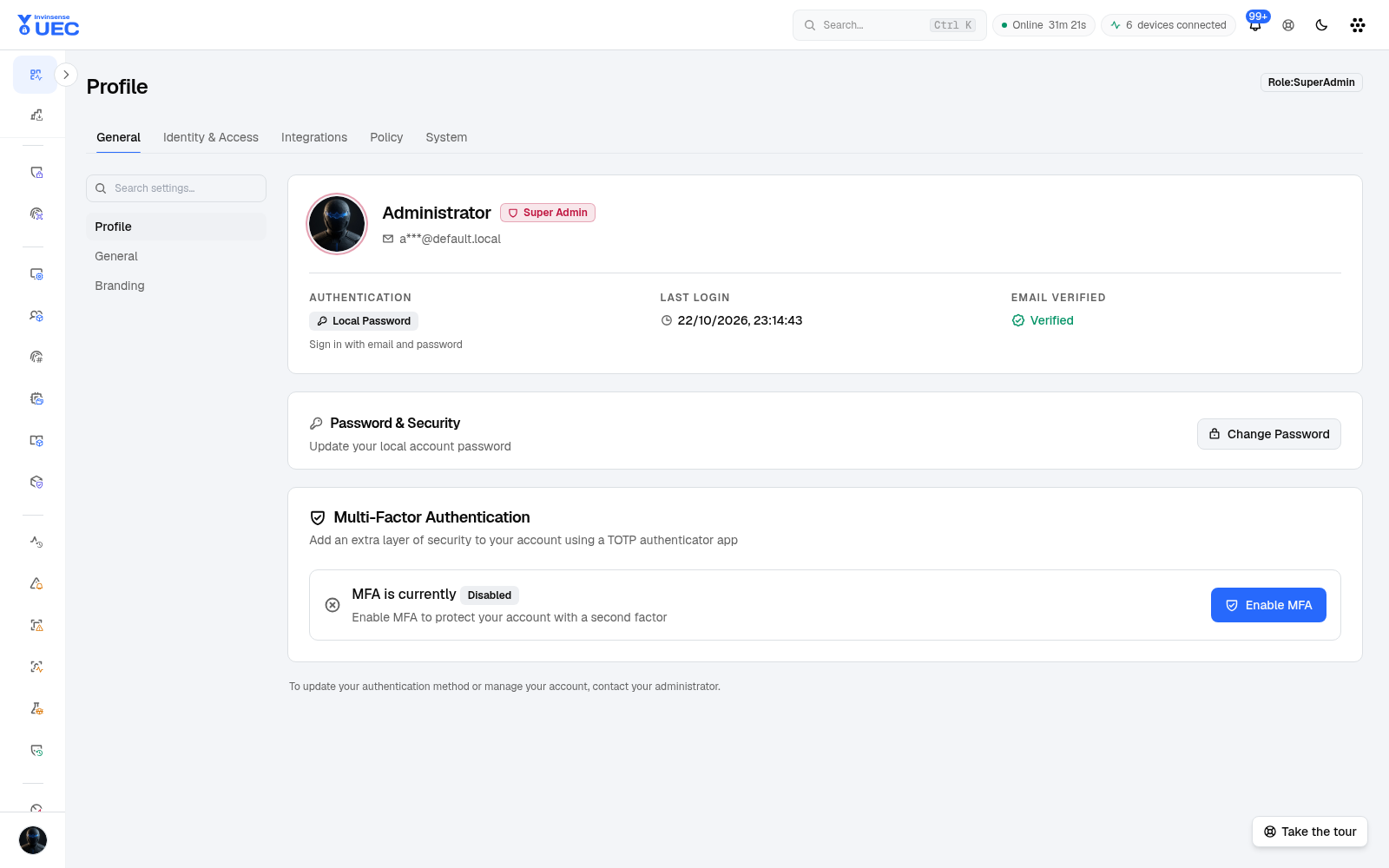
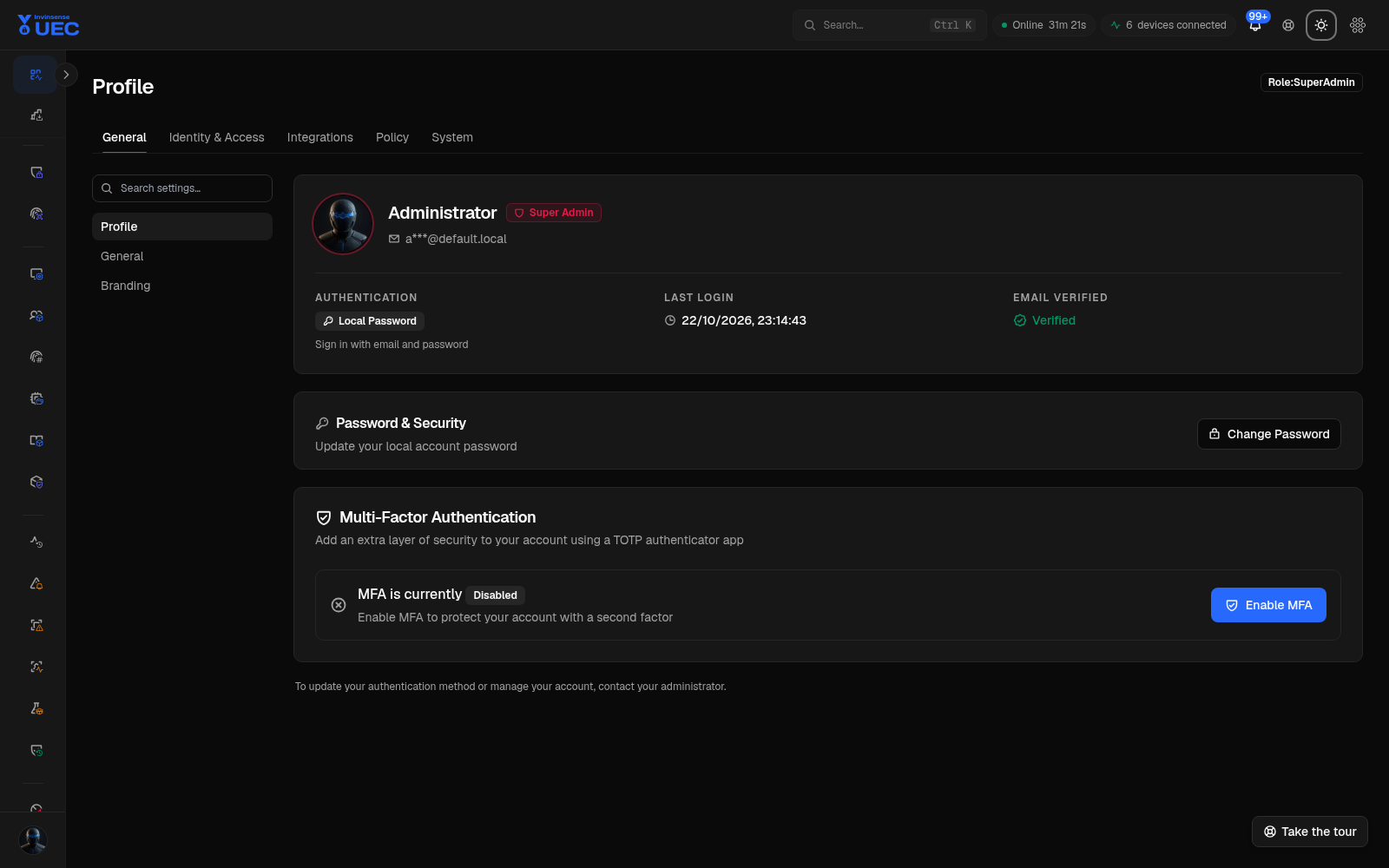
The screenshot records the canonical
/settingspage once. The sections below are query-string views of that same page, so the guide does not duplicate near-identical screenshots for each rail entry.
General
Section titled “General”Profile
Section titled “Profile”Change your own account details and password preferences. A forced password change restricts the session to the change-password flow, and a successful change revokes existing sessions.
General
Section titled “General”Tenant display name, locale/time-related defaults, operator-facing defaults and other non-security configuration.
Branding
Section titled “Branding”SuperAdmin-only product branding: logo, colours and login appearance. Branding changes should be reviewed in both light and dark themes.
Identity & Access
Section titled “Identity & Access”Users & Roles
Section titled “Users & Roles”Create local users, assign roles, manage status and configure group visibility where device-group scoping is enabled.
Single Sign-On
Section titled “Single Sign-On”Configure Entra ID/OIDC provider settings, claims and sign-in behavior. Keep a working break-glass local administrator until SSO has been proven through login, MFA and logout.
Conditional Access
Section titled “Conditional Access”Restrict sign-in by network, device or other tenant policy conditions. Test with a second session so an administrator does not lock out the entire tenant.
Integrations
Section titled “Integrations”Cortex XSIAM
Section titled “Cortex XSIAM”Forward endpoint/alert data to Cortex XSIAM. Test connectivity before enabling a broad forwarding path.
Freshservice CMDB
Section titled “Freshservice CMDB”Map devices/groups into Freshservice configuration items for ownership and ticket context.
Invinsense AMTD
Section titled “Invinsense AMTD”Store the upstream AMTD tenant GUID and connection settings. The value is required when AMTD is enabled; the proxy injects it on every outbound call so an individual page cannot hardcode a tenant.
Platform Modules
Section titled “Platform Modules”Enable or disable capability modules such as Threat Detection, UEBA, Sandbox, vulnerability feed and other tenant features. A disabled module shows an explicit disabled state, not a generic loading error.
macOS MDM
Section titled “macOS MDM”Apple MDM credentials and configuration used by native macOS security workflows.
Email / SMTP
Section titled “Email / SMTP”Sender, relay, authentication and delivery-test settings used by scheduled reports and notifications.
Webhooks
Section titled “Webhooks”Outbound webhook endpoints and event selection. Secret material is write-only; test with a non-destructive event before enabling production delivery.
API Tokens
Section titled “API Tokens”Create scoped, expiring tokens for automation. Record token purpose and owner; revoke unused tokens on a schedule.
MCP Server
Section titled “MCP Server”Enable and constrain an MCP server surface for approved AI/automation clients. Scope operations deliberately; this setting decides what an AI agent may request.
Event Streaming
Section titled “Event Streaming”SuperAdmin-only event-bus/broker settings and test controls.
Threat Intelligence
Section titled “Threat Intelligence”Provider settings for indicator lookup and feeds.
ANY.RUN
Section titled “ANY.RUN”Sandbox provider key/token, defaults, privacy and quota settings. The product-facing page remains Sandbox; the vendor name appears here.
Threat Lens
Section titled “Threat Lens”Threat Lens vulnerability-feed credentials used to enrich software inventory with CVE data.
Alert Forwarding
Section titled “Alert Forwarding”Route selected alert types to external SIEM/SOAR/notification systems.
Policy
Section titled “Policy”Managed Apps
Section titled “Managed Apps”Reserved integration surface; currently marked Soon and blocked rather than exposing unusable sync actions.
Policy Overrides
Section titled “Policy Overrides”Tenant-level policy behavior overrides. Keep changes rare and time-limited; each override should have an owner and reason.
Inventory Auto-Policies
Section titled “Inventory Auto-Policies”Control automatic policy or trust actions derived from inventory classification. Avoid broad auto-allow rules until publisher quality has been reviewed.
System
Section titled “System”Retention
Section titled “Retention”Event and alert retention periods. Shorter retention reduces storage but destroys historical investigation scope; document the requirement before changing it.
Runtime Configuration
Section titled “Runtime Configuration”Operational runtime values for background jobs and services. This is not a general “make the product faster” form; each value affects throughput, latency or reliability.
Alert Generation
Section titled “Alert Generation”Tenant/group alert thresholds, including agent-offline timing and noise controls. In v7.3.1 tenants without a custom agent-offline threshold alert after 15 minutes rather than 24 hours.
Signing-Key Auto-Heal
Section titled “Signing-Key Auto-Heal”Automatically recover from device signing-key desync. Understand the recovery path before enabling it fleet-wide.
Security
Section titled “Security”Password policy, session controls and other tenant security settings.
Diagnostics
Section titled “Diagnostics”SuperAdmin diagnostic surface for support and troubleshooting.
Infrastructure Health
Section titled “Infrastructure Health”Pod/container/volume/node health for the deployed platform. This moved from About to System because it is an operational surface, not product identity.
Change safety checklist
Section titled “Change safety checklist”- Know the setting’s blast radius.
- Use the lowest-duration change that proves the outcome.
- Keep one authenticated SuperAdmin session independent of SSO/conditional access.
- Test integrations before enabling forwarding.
- Screenshot or export the previous value when there is no built-in diff.
- Check Audit Log after saving.
- Verify the user-visible effect, not only the save toast.