
Forensic Queries
Forensic Queries asks live endpoints point-in-time questions without installing a separate investigation agent.
Forensic Queries asks live endpoints point-in-time questions without installing a separate investigation agent. Vetted query packs cover processes, persistence, network sockets, certificate and authenticode data, logs and platform-specific evidence.
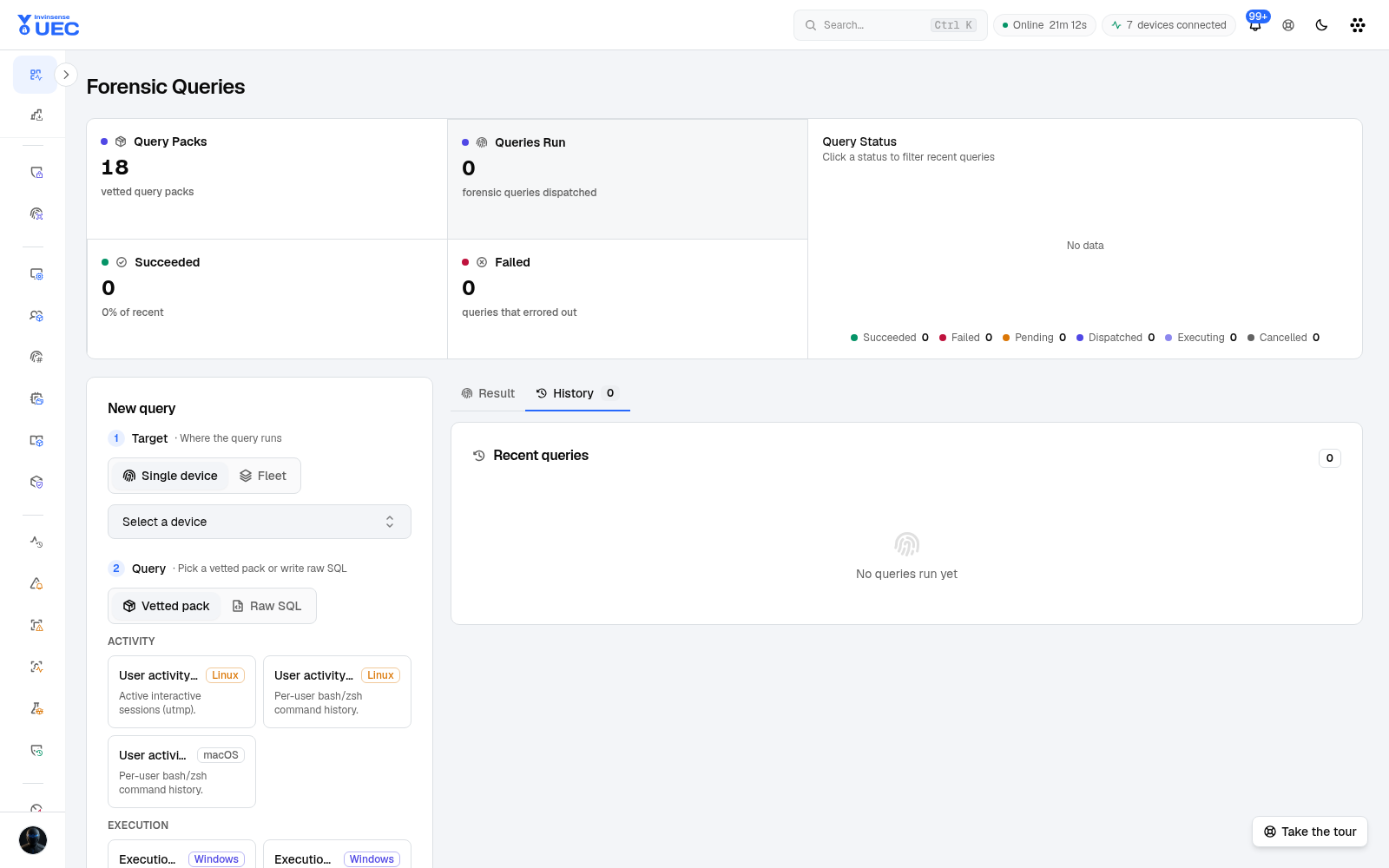
Pack or raw SQL
Section titled “Pack or raw SQL”| Mode | Who | Use |
|---|---|---|
| Query pack | SecurityAnalyst and above | Vetted, OS-badged questions selected from a catalog |
| Raw SQL | SuperAdmin only | Narrow investigation when a pack does not exist |
All SQL passes the forensic validator. Arbitrary DDL and destructive operations are rejected. Even privileged users cannot bypass the endpoint-side safety check.
Workflow
Section titled “Workflow”- Select one device, or dispatch a batch.
- Choose an OS-compatible query pack.
- Set a bounded maximum row count.
- Run.
- Watch progress and result state.
- Inspect rows in the result grid.
- Export CSV/text for the case.
- Review history or delete jobs no longer needed.
Offline agents do not invent results: a job may be created and then report that the device was not connected.
Limits and guarantees
Section titled “Limits and guarantees”| Rule | Value |
|---|---|
| Hard row cap | 200,000 rows |
| Default request cap | 10,000 rows |
| Batch ceiling | 10,000 devices |
| History page maximum | 500 jobs |
| Bulk delete maximum | 1,000 jobs |
| Agent persistence | Query engine is per-query in memory; no result table persists locally |
Every pack or raw-SQL dispatch is audited.
Example questions
Section titled “Example questions”| Question | Typical source tables |
|---|---|
| What processes are running? | processes |
| What is listening or connected? | listening_ports, process_open_sockets, routes |
| What persistence exists? | startup_items, services, scheduled_tasks, launchd, systemd_units, crontab |
| What did DNS recently resolve? | dns_cache, dns_lookup_events, etc_hosts |
| Is a file signed? | authenticode, certificates, hash |
| What browser extensions exist? | chrome_extensions, firefox_addons |
| What cloud metadata is exposed? | azure_instance_metadata, ycloud_instance_metadata |
| What recent shell commands ran? | shell_history |
| What security features are enabled? | deviceguard_status, secureboot, bitlocker_info, security_profile_info |
Available tables differ by OS. The pack catalog and OS badges prevent sending a Windows-only query to the wrong fleet.
History hygiene
Section titled “History hygiene”History rows are automatically purged after their retention period; operators can also delete one row or bulk-delete bounded sets. Treat exported results as sensitive: process command lines, users, paths, hashes, sockets and hostnames can reveal internal topology.