
Agent Configuration
Agent Configuration changes what agents collect and how they communicate without reinstalling the endpoint agent.
Agent Configuration changes what agents collect and how they communicate without reinstalling the endpoint agent. Configurations are versioned, assigned by scope and OS, and reported back by devices.
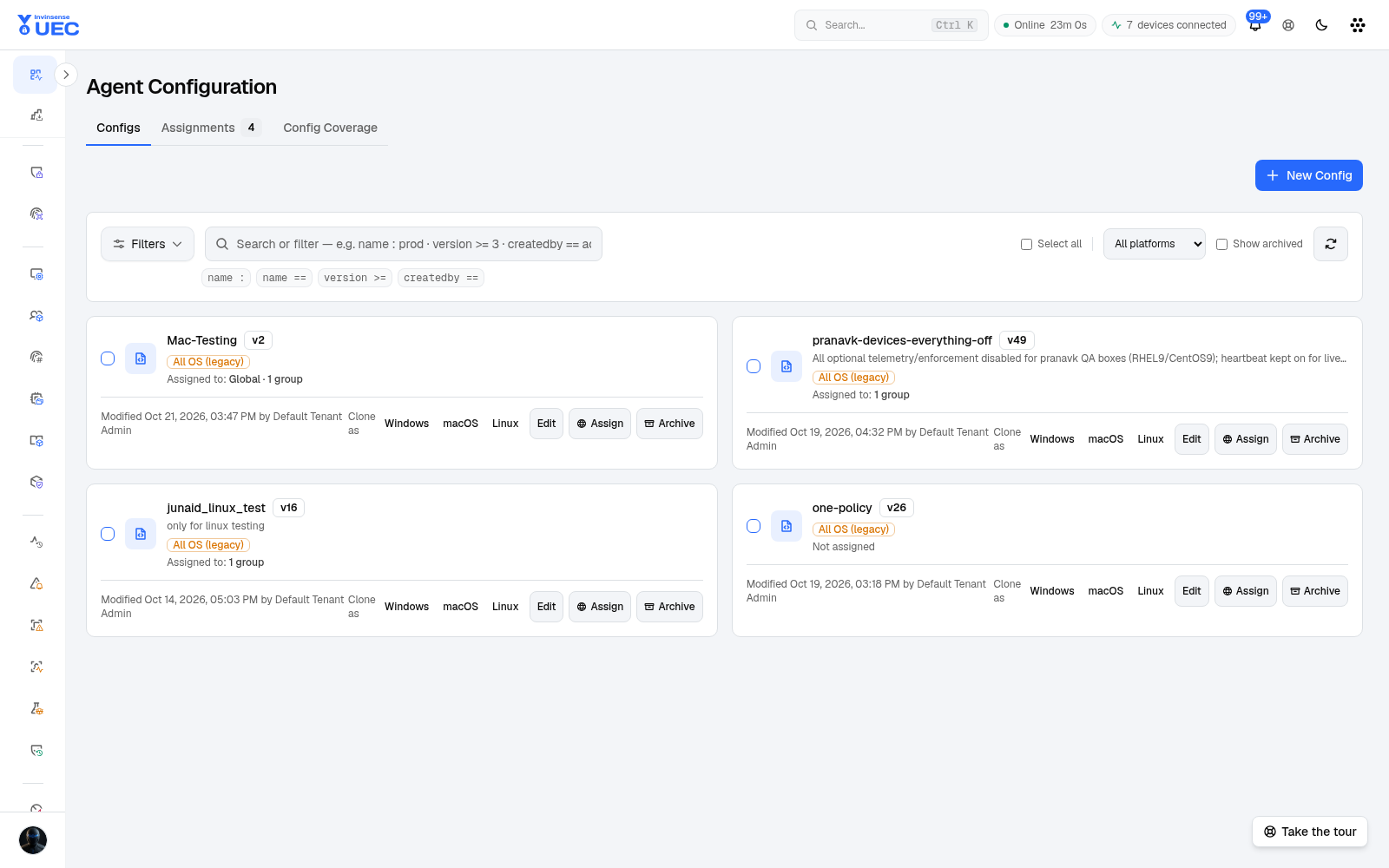
Configuration model
Section titled “Configuration model”| Property | Meaning |
|---|---|
| Target OS | Windows, macOS or Linux; legacy rows can be All OS |
| Scope | Global, group or more targeted assignment |
| Version | Immutable configuration release |
| Assignment | Which devices should receive it |
| Applied state | Last version/assignment reported by each device |
Per-OS configurations win over unified legacy configurations. Resolution is by scope first, then more specific OS match. This prevents a Windows-only setting from being pushed to Linux or macOS.
Capability honesty
Section titled “Capability honesty”A configuration editor that shows a setting a sensor ignores is dangerous. UEC serves a capability schema per OS:
- fields unavailable on an OS are not offered for new per-OS configs;
- legacy configurations can retain unread keys, but the console warns “no sensor reads this”;
- Applied means the agent accepted the configuration; it does not independently prove every section caused the intended behavior.
Use device health and the relevant telemetry stream to confirm end-to-end effect.
Common sections
Section titled “Common sections”| Area | Examples |
|---|---|
| Log collection | Event channels and file logs; all Windows event channels default to opt-in |
| Telemetry streams | Events, inventory, FIM, ports, dependencies and related shipping |
| Heartbeat | Interval and immediate configuration-sync hints |
| Scan/idle policy | Throttling, I/O priority, input idle, CPU/disk pressure and power state |
| Observability | Agent self-telemetry and diagnostics |
Synchronization
Section titled “Synchronization”- Heartbeats carry
AppliedAgentConfigVersion. - The server compares it with the effective assignment’s latest version.
- On mismatch, the heartbeat returns a
pullorclearhint. - The agent requests immediate sync when told to pull.
- Global assignments fan out through SignalR tenant groups rather than sequential device loops.
Writes use optimistic concurrency. If another operator edits the same configuration first, a stale save returns conflict instead of silently overwriting their change.
Create and assign
Section titled “Create and assign”- Open Agent Configuration.
- Create or clone a configuration.
- Choose the target OS.
- Edit only sections supported for that OS.
- Save a version.
- Assign to the smallest useful scope.
- Watch applied version and assignment on Devices.
- Verify the expected stream or log source actually improves.
Operational guardrails
Section titled “Operational guardrails”- Enable only channels required by policy and investigations.
- Preserve endpoint performance with scan/idle settings.
- Keep a rollback configuration version.
- Do not enable every log channel “for completeness”; event volume has operational cost.
- Test configuration changes on one device group.
- Pair a configuration change with an Events/Alerts observation window.