
Software Catalog
The Software Catalog is the fleet's normalised inventory view.
The Software Catalog is the fleet’s normalised inventory view. It answers “what is installed, where, who publishes it, and what signature posture does it have?” before policy or risk decisions are made.
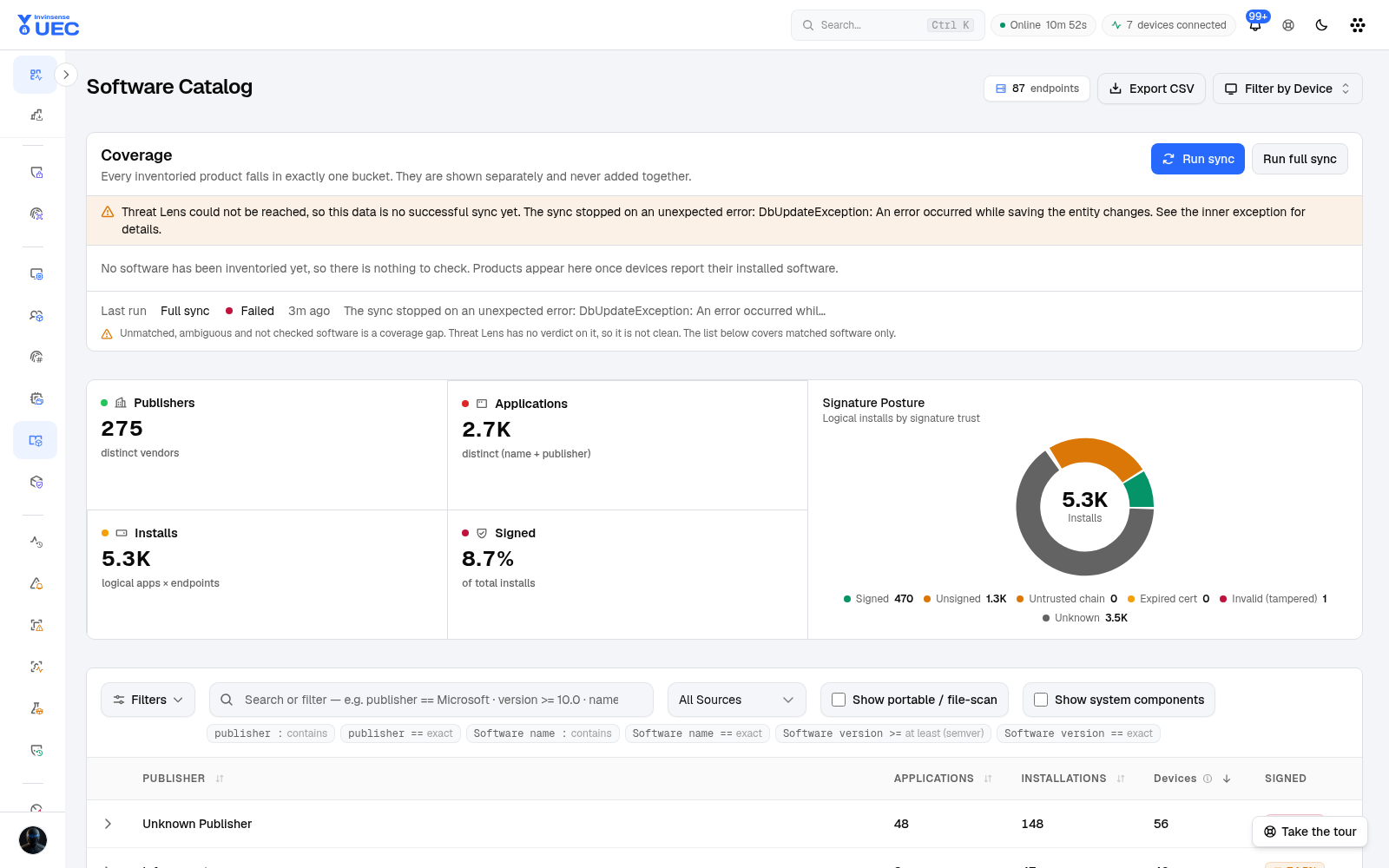
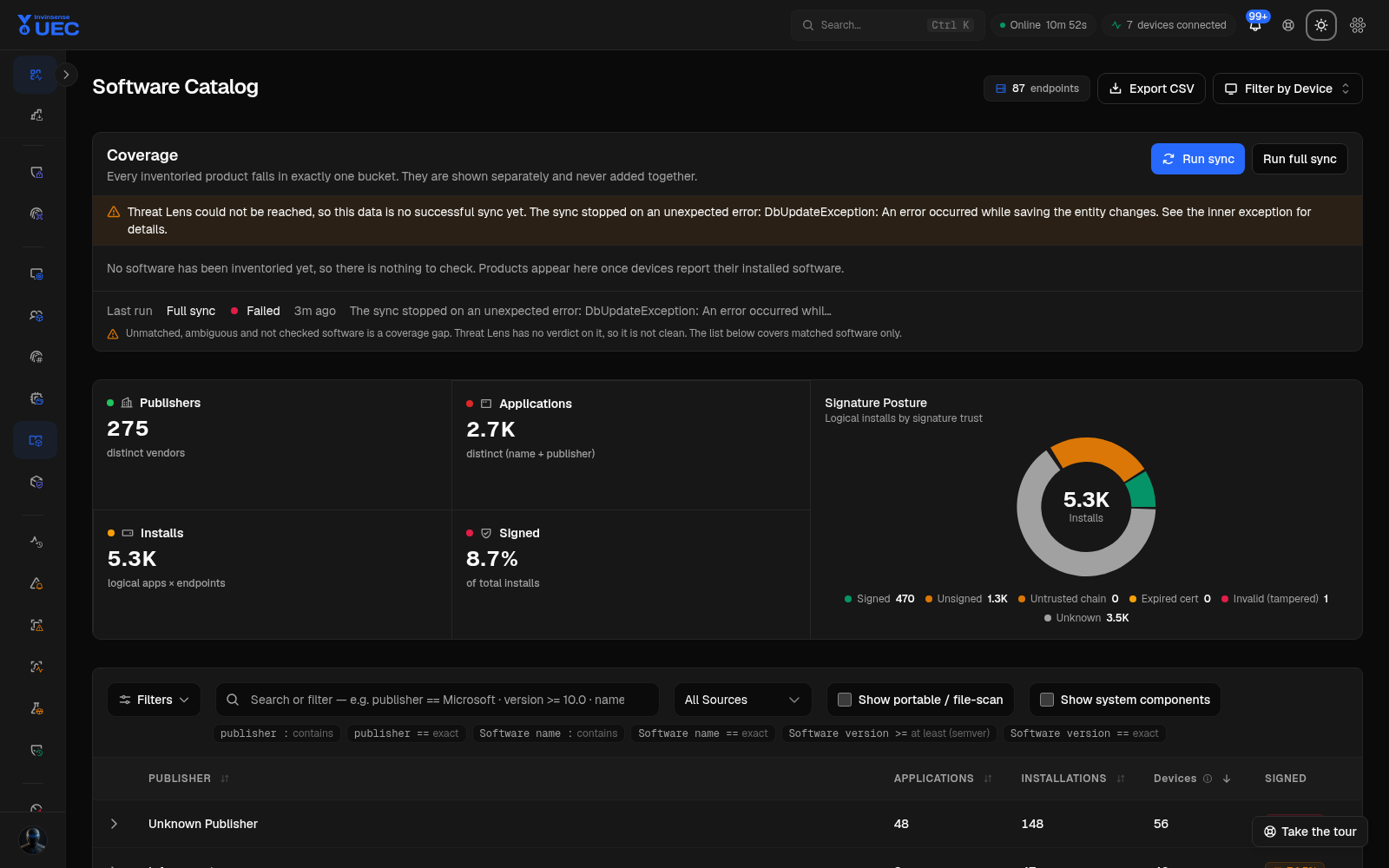
Publisher, Driver and Category are URL-driven views of the canonical Software Catalog page. The guide captures the page once and explains the view switch instead of shipping three near-identical chrome screenshots.
Summary tiles
Section titled “Summary tiles”| Tile | Meaning |
|---|---|
| Publishers | Distinct normalised vendors |
| Applications | Distinct publisher + application identities |
| Installs | Logical application × endpoint installs, not file count |
| Signed | Signed share of total logical installs |
| Signature Posture | Signed, unsigned, untrusted chain, expired, invalid/tampered and unknown |
| Risk Distribution | Risk-hint buckets from application classification |
A low signed percentage is a lead, not a verdict. Linux package metadata, scripts, internal tools and unsigned installers all affect the number.
Three views
Section titled “Three views”| View | Question |
|---|---|
| Publisher | Which vendors and applications dominate the fleet? |
| Driver | Which driver identities exist? |
| Category | Which business/risk categories are present? |
The current view and active filters are kept in the URL, so a link to “unsigned development tools in Ring 3” is reproducible.
Filters and operators
Section titled “Filters and operators”The catalog supports both plain search and typed KQL-style clauses:
| Query | Meaning |
|---|---|
publisher : microsoft |
Publisher contains “microsoft” |
publisher == Microsoft |
Exact publisher match |
name : office |
Application name contains “office” |
name == Google Chrome |
Exact application match |
version >= 120 |
Semver at least 120 |
version == 125.0.6422.141 |
Exact version |
Filters include source, portable/file-scan visibility, system components, signature state and risk. Debounced search avoids a server request on every keystroke.
Publisher and application detail
Section titled “Publisher and application detail”Publisher rows show applications, installations, distinct devices and signed share. Expanding a publisher shows its applications; opening an application shows versions, signature posture, devices, classification and related vulnerability context where the module is enabled.
Use Export devices for a selected application when you need owners or ring targeting. Full device exports run server-side so a large fleet is not silently truncated by a browser-side page limit.
Classification taxonomy
Section titled “Classification taxonomy”The catalog normalises publisher spellings and application names, then classifies applications into categories and subcategories such as Browsers, Development Tools, AI Tools, Remote Access, Cloud Storage & Sync, Security, Media and System Utilities.
- Seed rules are versioned and idempotently loaded.
- Operator overrides win over seed rules.
- Raw spellings remain visible as variants, while the normalized identity drives counts.
- A classified binary wins over an unclassified sibling of the same application.
Risk hints help triage: AI Tools, Remote Access and Peer-to-Peer are high hints; browsers, networking/VPN, virtualization, gaming and admin tools are medium hints; many ordinary productivity and runtime categories are low or none.
Inventory collection model
Section titled “Inventory collection model”On Windows, discovery uses multiple vectors:
| Vector | Finds |
|---|---|
| Registry | Installed MSI/EXE/Store applications |
| Volume scan | Portable or loose executables |
| USN Journal | New and changed files after the baseline |
Scanning is throttled by scan/idle policy, CPU/disk pressure and power state. High-noise and OS-critical directories are skipped. Inventory records are persisted locally and use acknowledged compressed delivery, like events.
Policy bridge
Section titled “Policy bridge”Catalog identities can feed policy generation with this priority:
Publisher / signer → path / PFN → Authenticode hashA useful department-baseline pattern is:
- Filter devices to a department or tag.
- Review normalized applications.
- Identify applications above a prevalence threshold.
- Select trusted, expected publishers.
- Build a supplemental policy for that department.
- Audit on Ring 0 before expanding.
Exports and scale
Section titled “Exports and scale”- Page exports represent the current filtered result set.
- Full device exports for selected software use background/server-side export.
- Very large exports can be capped; the interface states a cap rather than pretending completeness.
- Use filters and owner fields rather than exporting the entire catalog to a spreadsheet and losing provenance.